Cloud-Based vs Legacy EMRs in Canada: What Family Physicians Need to Know
Last Updated
Author
Team Aeon
If you’re evaluating a cloud EMR in Canada versus a traditional server-based system, here’s the short answer:
For most modern family practices, cloud-based EMRs offer lower IT overhead, easier maintenance, stronger update cycles, and simpler scalability. However, legacy server-based EMRs can still make sense for certain clinics with established infrastructure, specific customization needs, or strict internal control preferences.
The right choice depends on your clinic’s size, technical comfort, growth plans, and security expectations — especially around EMR hosting in Canada, data residency, and ongoing maintenance burden.
This guide breaks down the real operational differences — because for family physicians in Canada, and particularly in BC, this infrastructure decision affects daily clinic operations for years.
TL;DR
Cloud EMRs reduce in-clinic IT burden and automate updates.
Server-based EMRs offer direct infrastructure control but require ongoing maintenance.
Security strength depends on implementation maturity, not hosting label.
For most modern family practices, cloud systems reduce sustained operational friction.
Direct Answer: Is Cloud Better?
For most new and growing clinics in Canada, cloud-based EMRs are operationally simpler and more future-proof.
They typically offer:
No on-site server maintenance
Automatic updates
Secure Canadian data hosting
Easier remote access
Lower hardware management burden
However, “better” depends on context. A well-managed server-based EMR can be stable and reliable — but it requires more hands-on infrastructure responsibility from the clinic.
The key question isn’t “Which is modern?”
It’s “Which reduces long-term friction for your clinic?”
Infrastructure choices also influence day-to-day usability, workflow speed, and maintenance burden over time.
If you’re still early in your evaluation process, our complete guide to choosing an EMR in BC outlines how this decision fits into the bigger picture.
What Is a Cloud EMR?
A cloud EMR in Canada is hosted on secure, remote servers — typically located in Canadian data centres. Clinics access the system through a secure web browser or encrypted application.
You do not maintain physical servers in your clinic.
Core Characteristics of Cloud-Based EMRs
Vendor-managed hosting
Automatic software updates
Centralized security monitoring
Encrypted data storage (at rest and in transit)
Remote access with proper authentication
EMR Hosting in Canada: Why It Matters
Canadian clinics often prioritize:
Data residency within Canada
Compliance with federal and provincial privacy legislation
Clear breach notification processes
Strong access controls and audit logs
In British Columbia, clinics must also consider provincial privacy requirements and clear data residency expectations.
This is particularly relevant when clinics are reviewing MSP billing workflows and patient record storage policies in BC.
Most reputable cloud EMR vendors host data in Canadian data centres and can provide documentation outlining where and how data is stored.
Operational Advantages
Cloud systems reduce:
Server procurement costs
In-clinic IT troubleshooting
Manual update scheduling
Risk of outdated software
For clinics without dedicated IT staff, this can significantly reduce operational burden.
What Is a Legacy EMR?
A legacy EMR in Canada typically refers to a server-based EMR installed locally within the clinic’s infrastructure.
The clinic owns and maintains:
Physical servers
Backup systems
Network security configuration
Update scheduling
Core Characteristics of Server-Based EMRs
Local hosting on clinic-owned hardware
Manual update processes
Direct control over infrastructure
Often older architectural foundations
These systems were common during early EMR adoption in Canada and remain in use across many established practices.
Why Some Clinics Prefer Server-Based Systems
Comfort with existing workflows
Desire for physical control over hardware
Existing IT contracts or infrastructure investments
Highly customized legacy setups
However, that control comes with responsibility.
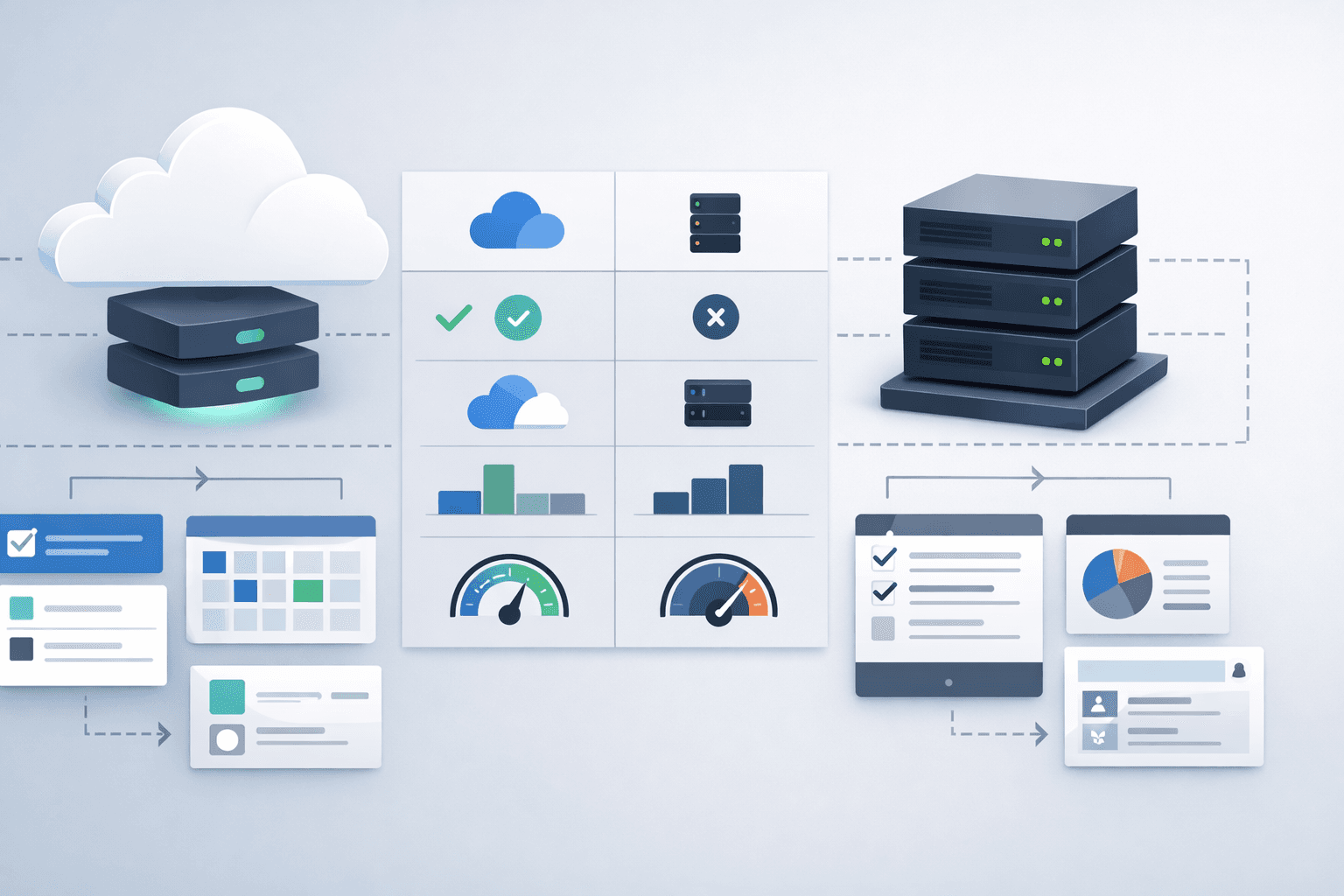
Cloud vs Legacy: Side-by-Side Comparison
Category | Cloud EMR in Canada | Legacy / Server-Based EMR |
Hosting | Vendor-managed Canadian data centres | On-site clinic servers |
Updates | Automatic, centralized | Manual or scheduled |
IT Maintenance | Minimal clinic involvement | Clinic-managed |
Hardware Costs | Lower upfront | Higher upfront |
Remote Access | Built-in | Often requires VPN setup |
Scalability | Easy to scale | Hardware-dependent |
Downtime Risk | Vendor redundancy | Dependent on clinic infrastructure |
This isn’t about modern vs outdated. It’s about who carries the infrastructure load.
And whether that load supports or distracts from patient care.
Security Myths About Cloud Systems
Security concerns often drive hesitation around cloud EMRs in Canada.
Let’s address the most common myths.
Myth 1: “Cloud Means Less Secure”
In reality, reputable cloud vendors often maintain:
Dedicated security teams
24/7 monitoring
Redundant backups
Formal security audits (e.g., SOC 2)
Most small clinics cannot match that level of dedicated infrastructure internally.
Security risk in server-based systems often comes from:
Outdated servers
Inconsistent patching
Limited monitoring
Weak backup testing
Security maturity is about systems and processes — not just server location.
Myth 2: “Local Servers Give Me More Control”
Local hosting gives physical control, yes.
But control does not automatically equal stronger security.
Ask:
Who manages firewall updates?
How often are backups tested?
Is there real-time intrusion detection?
What happens if hardware fails?
Cloud vendors typically build redundancy across multiple environments — something rarely feasible in a single clinic.
Myth 3: “Data Might Leave Canada”
For Canadian clinics, this is a legitimate concern.
However, many cloud EMR providers offer:
Clear documentation of Canadian data residency
Contracts specifying hosting location
Transparency about infrastructure partners
Always verify data location during vendor evaluation.
Cost & Infrastructure Comparison
Upfront cost differences are only part of the equation.
Cloud EMR Cost Factors
Subscription-based pricing
Minimal hardware investment
Lower in-house IT costs
Automatic updates included
Server-Based EMR Cost Factors
Server purchase and replacement cycles
IT support contracts
Backup hardware
Downtime risk during updates
Ongoing maintenance is where the difference compounds.
A server may need replacement every few years. Software patches require scheduling. IT troubleshooting becomes recurring overhead.
When comparing total cost of ownership, factor in time and operational risk — not just license fees.
For a full breakdown of EMR cost considerations in BC, see our detailed guide here.
Long-Term Maintenance Reality
Technology evolves quickly.
Cloud systems typically:
Release incremental updates continuously
Roll out security patches automatically
Improve features without requiring clinic downtime
Legacy systems may:
Require manual update scheduling
Risk compatibility issues with newer hardware
Accumulate technical debt over time
Maintenance burden is not always visible at purchase — but it becomes obvious years later.
In primary care, infrastructure decisions are rarely revisited quickly — which makes the initial choice disproportionately important.
Who Should Still Consider Server-Based?
Server-based EMRs may still make sense if:
Your clinic has dedicated IT staff
You have deeply embedded legacy workflows
Your infrastructure is already fully amortized
You have specific offline access needs
However, even in these cases, it’s worth reassessing long-term flexibility.
Decision Checklist: Cloud vs Legacy EMR in Canada
Use this checklist when evaluating vendors.
Where is patient data hosted?
Is hosting located in Canada and compliant with provincial privacy requirements (e.g., PIPA in BC)?
Who is responsible for server maintenance?
How are updates delivered?
What redundancy exists in case of failure?
What are the real hardware costs over five years?
How does remote access work?
What security audits has the vendor completed?
How easily can the system scale if the clinic grows?
Cloud versus server-based is not ideological. It’s operational.
FAQ: Cloud vs Server-Based EMRs in Canada
Is a cloud EMR in Canada secure?
Yes. A cloud EMR in Canada can be highly secure if implemented properly. Many cloud EMRs use encryption, secure Canadian data centres, and formal security audits. Security strength depends on vendor infrastructure, not just hosting model.
Are legacy EMRs outdated?
Not necessarily. Many remain functional and stable. However, some are built on older architectural foundations that may limit scalability and modernization.
Does cloud hosting reduce IT costs?
For most small to mid-sized clinics, yes. It reduces hardware purchases, patch management, and server maintenance responsibilities.
Can server-based EMRs support remote access?
Yes, but typically through VPN configurations. Cloud systems often provide built-in secure remote access without additional infrastructure.
Key Takeaways: Cloud vs Server-Based EMRs in Canada
A cloud EMR in Canada shifts infrastructure responsibility to the vendor.
A server-based EMR keeps infrastructure control within the clinic.
Security strength depends on implementation maturity, not hosting label.
Cloud systems generally reduce IT overhead and sustained maintenance friction.
Legacy systems may still suit certain clinics with established infrastructure.
For most modern family practices, the question isn’t simply cloud vs server — it’s which model reduces sustained administrative and technical burden.
And ultimately, that’s the same question at the heart of every EMR decision.
The right infrastructure should feel invisible — not like another system your clinic has to manage.